PasClawAI Agent in Delphi Object Pascal
An AI Agent forged in Embarcadero Delphi — a single native binary, a tool-using LLM loop, and the raw speed of compiled Object Pascal.
Native Pascal Core
Compiled, fast, and binary-small. No interpreter, no runtime tax.
Tool-Using Loop
Reason → call tool → observe → repeat. Built-in agent control flow.
Cross-Platform
FireMonkey + VCL targets: Windows, macOS, Linux, iOS, Android.
Streaming Output
Token-by-token streaming responses straight into your Pascal app.
Extensible Tools
Register custom Pascal procedures the model can invoke at runtime.
Open Source
MIT licensed. Built by the Delphi community, for the Delphi community.
Most AI agents are Python scripts wrapping HTTP calls. PasClaw is different — it is written in Embarcadero Delphi Object Pascal and compiled to a native Windows executable. That choice gives you speed, determinism, and a deployment story that is just pasclaw.exe.
Ahead-of-time compiled
Delphi compiles directly to native machine code. No JIT warm-up, no interpreter overhead — the agent starts and responds without a runtime spinning up underneath it.
Predictable performance
Deterministic memory layout, fast string handling, and zero garbage-collector pauses. Tool calls and LLM streaming stay snappy even under heavy concurrent load.
One Windows executable
Ship pasclaw.exe and run. No Node, no Python, no .NET runtime to install — just drop the binary on a Windows box (alongside the standard OpenSSL DLLs) and go.
Type-safe by design
Object Pascal's strict, readable type system catches whole classes of bugs at compile time — invaluable for an agent that orchestrates tools, MCP servers, and network calls.
Standards-based crypto
TLS to LLM providers and MCP servers is handled through OpenSSL (libssl / libcrypto). Battle-tested, widely audited, and trivially updatable without rebuilding PasClaw.
30+ years of stability
Delphi has been compiling production software since 1995. PasClaw inherits a battle-tested toolchain, RTL, and component ecosystem that simply does not break.
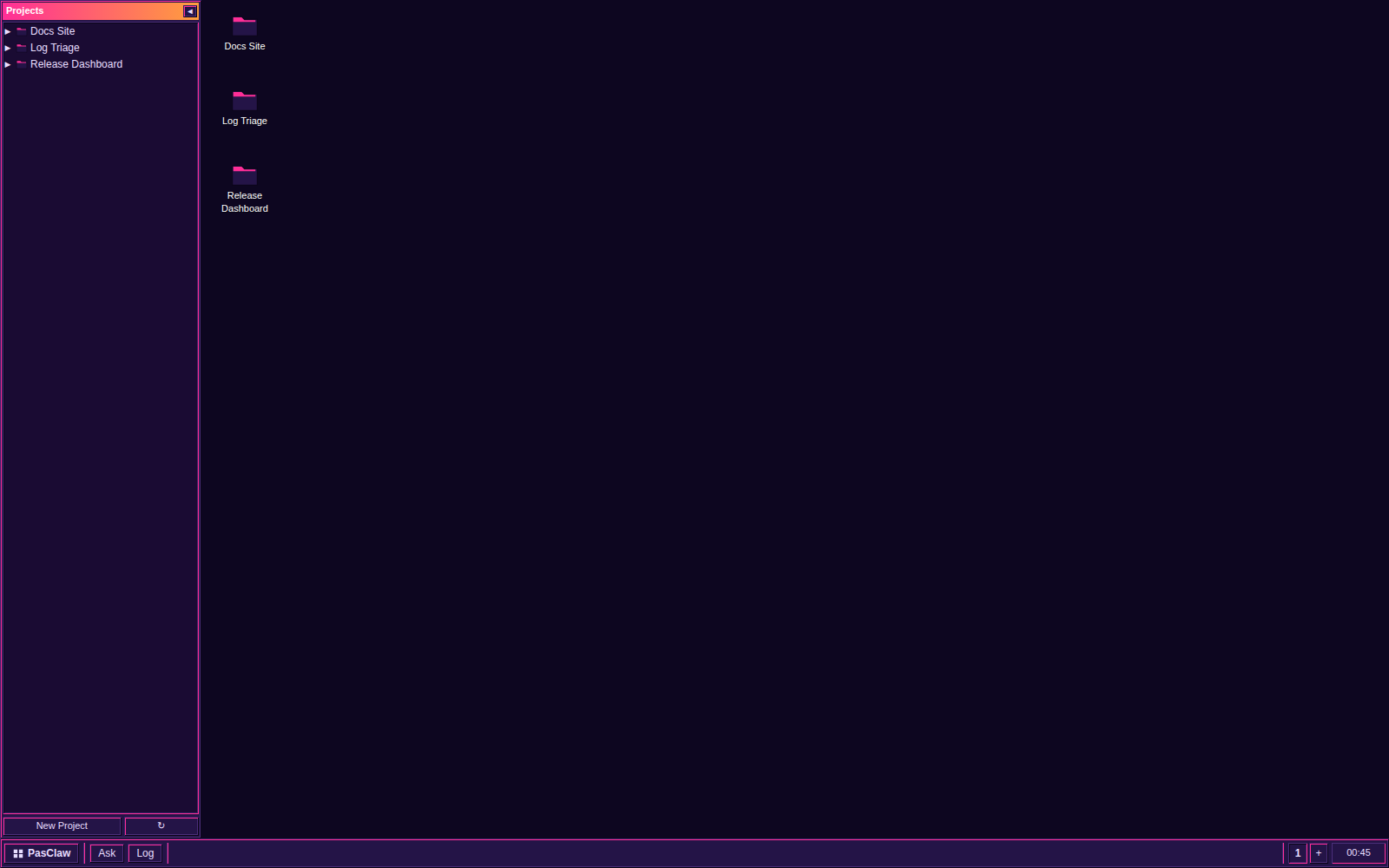
PasClaw Desktop is a desktop-paradigm client: windows, icons, a taskbar and virtual desktops instead of a chat log. Ask it to filter your email and the deliverable is a small app that opens in a window — not an essay about how you might build one.
Two frontends, one surface
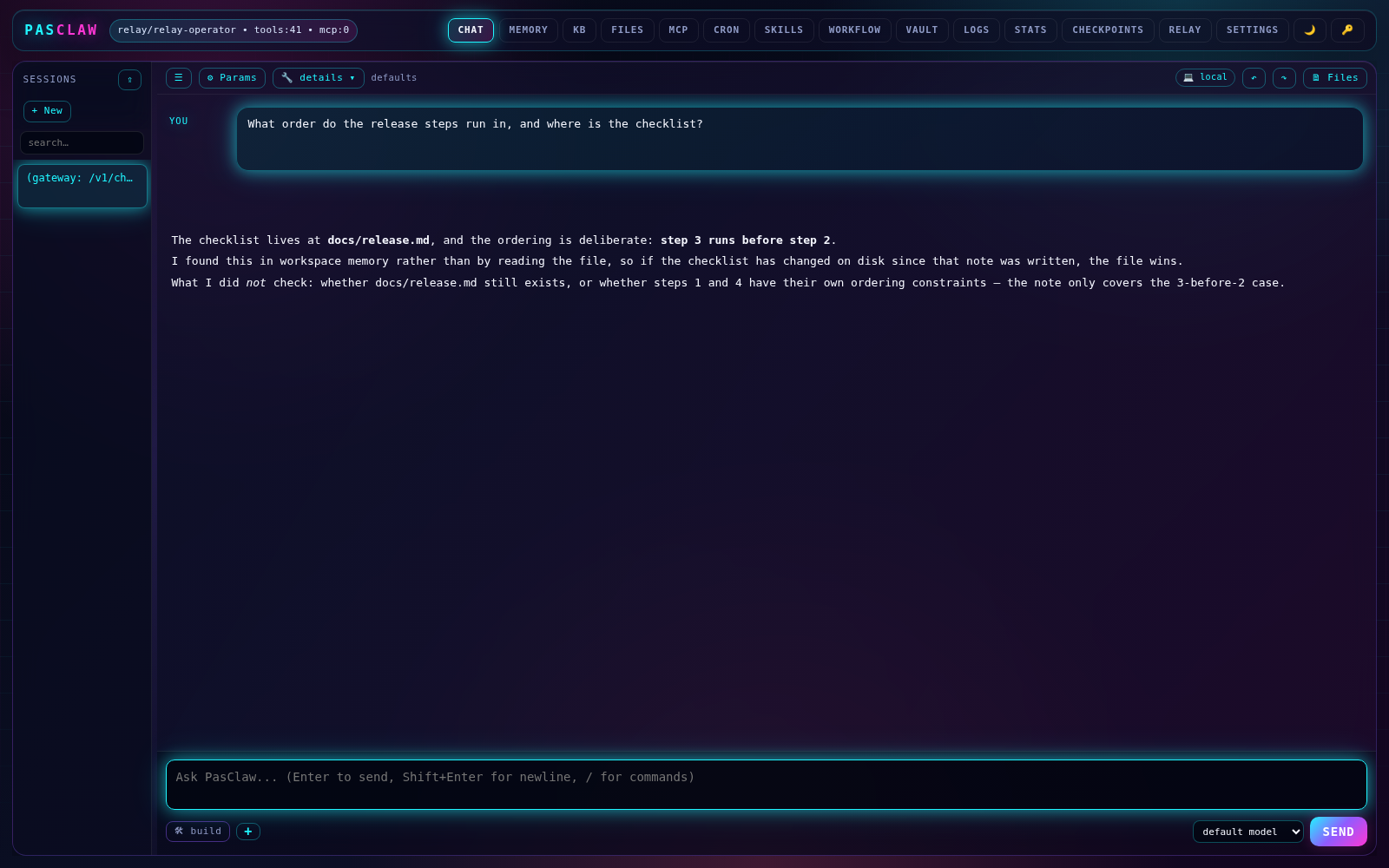
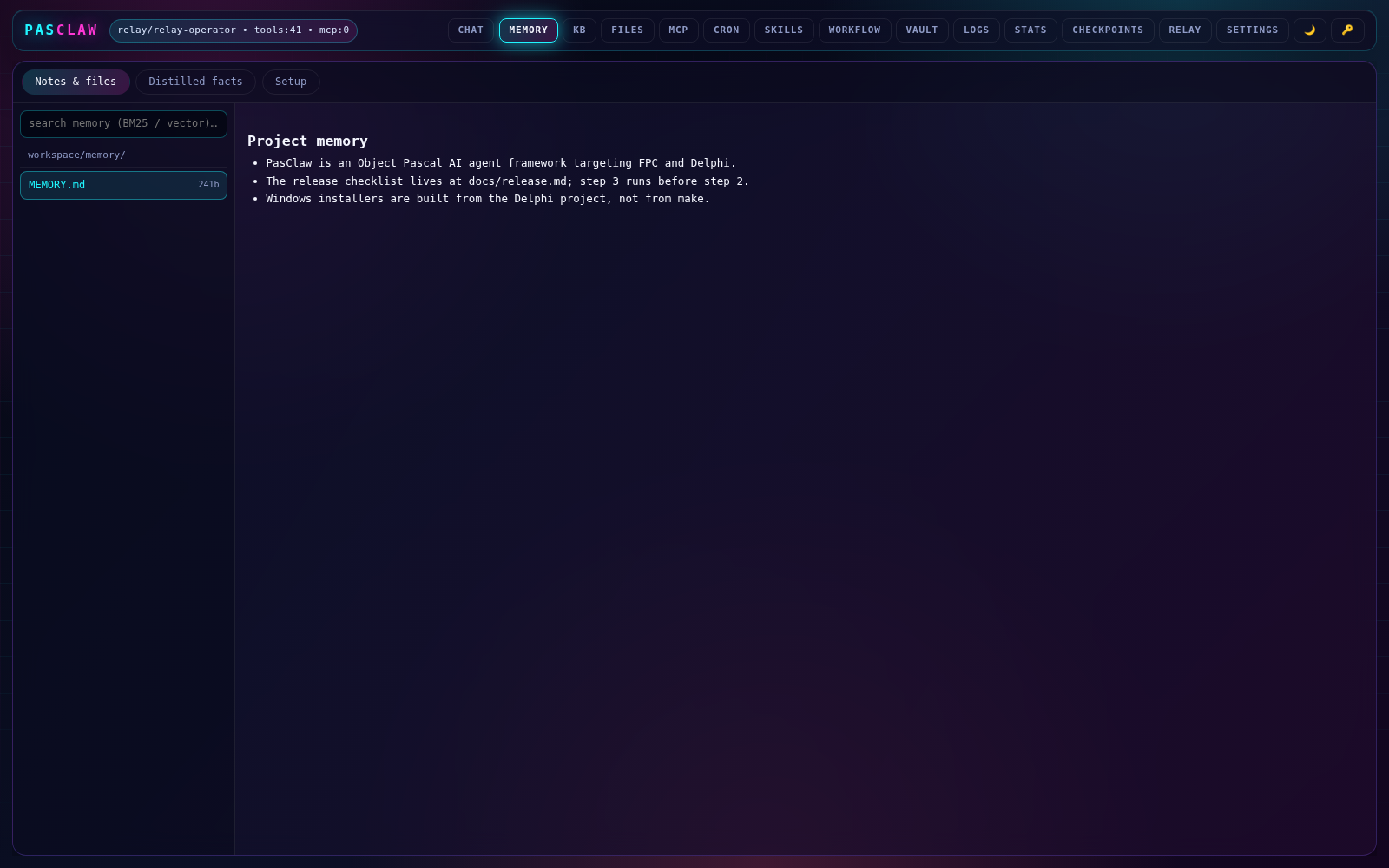
A single-file web UI the gateway serves at /desktop — window manager, project dock, taskbar with a workspace pager, all 27 retro styles — plus a FireMonkey app in desktop/ whose window manager and styles are vendored so a plain checkout builds and runs.
Workspaces
Multiple isolated agent worlds. Memory, sessions, skills, knowledgebase, checkpoints, cron and projects are all per-workspace — and the original workspace/ is still #1, so nothing moved.
Projects → Tasks → Jobs
Plain JSON manifests on disk that the agent edits through project and task tools. Greppable, syncable, no database. Board changes stream live over /v1/desktop/events.
App factory
page, html, python, fpc and delphi app kinds with a per-app state store, sandbox and CSP containment, and blueprint export that carries the software but never the data.
Process apps are built and spawned by a runner that refuses to start anything without explicit per-run consent and shows the command first. Structured agent output arrives as period furniture — a plan as a Win95-style wizard whose Finish button turns its steps into real tasks, a decision as a message box with buttons.pasclaw project seedinstalls a starter suite — Notes, To Do, Brain, Calendar, Library, Cookbook, Mail — that are themselves ordinary, remakeable projects.
Agentic edits should not be a one-way door. PasClaw auto-snapshots files before each fs_write or fs_edit_hashline, stores them in a content-addressable zpaq archive, and exposes /undo and /redo for rewinding or replaying any change.
Snapshot before every write
Before fs_write or fs_edit_hashline overwrites anything, PasClaw captures the prior contents. Multi-edit turns dedupe so the same file is only snapshotted once per turn.
/undo, anywhere
From the TUI, pasclaw agent, or the sample dprojs, /undo restores the last snapshot in place. Regrettable agent edits are one keystroke away from being rolled back.
/redo on top
The zpaq-backed archive is content-addressable and dedupes by default, so forward history survives a revert. /redo steps changes back in after /undo without bloating workspace/checkpoints/.
PasClaw does not hand a shell to the model and hope for the best. Its filesystem and shell tools are guarded by an opt-in workspace boundary plus an always-on shell denylist. Configure the sandbox block in ~/.pasclaw/config.json.
Workspace boundary
Enable restrict_to_workspace and every fs_read, fs_write, fs_list, and shell_exec is locked to a single directory. The agent cannot touch files outside its cage — even absolute paths are rejected.
Always-on shell denylist
Dangerous tokens are blocked before they reach the OS: sudo, rm, mkfs, format, curl | sh, PowerShell -EncodedCommand, and dozens more. The denylist runs on every shell_exec regardless of other settings.
Regex-granted exceptions
Need the agent to peek at /usr/include or write to /tmp? Supply PCRE patterns in allow_read_paths and allow_write_paths. PasClaw evaluates them on both FPC and Delphi via a cross-target regex wrapper.
Embarcadero KAI brings AI directly into RAD Studio — inline suggestions, agent chat, and MCP-powered workflows. PasClaw plugs into that same pipeline as a local agent endpoint, so your Delphi IDE can reason with a native Pascal agent rather than a generic cloud assistant.
Local HTTP endpoint
Run pasclaw gateway and PasClaw exposes a local HTTP API on 127.0.0.1:8088. KAI inside RAD Studio can call it directly — no cloud relay, no external latency.
Agent chat via MCP
PasClaw registers its tools and agent loop as an MCP server. KAI's dockable Agent Chat window discovers the endpoint and uses PasClaw's reasoning + tool-calling loop for project-aware assistance.
Native Windows stack
Both KAI and PasClaw live in the same RAD Studio / Windows ecosystem. TLS is handled by OpenSSL, the binary is native, and everything stays on the local machine.
PasClaw uses the standard SKILL.md format shared with picoclaw, nanobot, and ClawHub. Skills live under $PASCLAW_HOME/workspace/skills/ and teach the agent new tasks, tools, and workflows without touching source code.
SKILL.md format
Per-directory markdown files with YAML frontmatter. The system prompt advertises the skill; the model loads the full body with fs_read when the matching task comes up.
Callable tools
Set kind: shell or kind: prompt to register a callable skill_<name> tool the model can invoke at runtime, not just read as reference.
GitHub & ClawHub
Install from GitHub repos (owner/repo/path@ref) or the ClawHub registry (clawhub:slug@version). Malware-flagged skills are refused outright.
PasClaw speaks the Model Context Protocol natively. It can host its own toolset as an MCP server and connect to external MCP servers for extra capabilities.
stdio & HTTP clients
Spawn local MCP servers over stdio or connect to remote ones over HTTP. PasClaw auto-detects the transport from the command string.
Agent chat via MCP
PasClaw registers its own tool loop as an MCP server. Any MCP-compatible client — including KAI in RAD Studio — can discover and call PasClaw's tools.
Simple config
Add, remove, test, and edit MCP entries with pasclaw mcp ... . Entries live in ~/.pasclaw/config.json under mcp_servers.
PasClaw isn't just a CLI. The same pasclaw.exe exposes an OpenAI-compatible HTTP gateway, ships an embedded web UI, and bridges into nine chat platforms — all from a single native binary.
OpenAI-compatible HTTP gateway
Drop-in /v1/chat/completions and /v1/responses — point any OpenAI SDK at PasClaw and it just works, with /v1/models discovery and TUI model switcher.
Embedded web UI
An 8-tab control panel served from the binary: Chat, Memory, Files, MCP, Cron, Skills, Logs, Settings. No separate frontend to deploy.
9 chat channels
Bidirectional bots for Telegram, Discord, Slack, LINE, WhatsApp, Matrix, IRC, Email, and Teams — with per-channel sender identity and allowlist gating.
Persistent sessions + resume
Every turn is journaled. Crash, reboot, or pick up days later — pasclaw resume continues exactly where you stopped, tools and memory intact.
Mid-loop steering
pasclaw steer pushes follow-up instructions into a running agent without interrupting the current tool call. Course-correct without losing context.
Subagents
The spawn tool delegates to a child agent with its own system prompt and tool allowlist — keep the parent's context clean while the worker grinds.
Hooks API
TPasClawHook surfaces BeforeTurn / BeforeToolCall / AfterToolCall / OnError. Wire approval gates, audit logs, or policy enforcement in native Pascal.
pasclaw learn
Mines session transcripts for recurring failure patterns and proposes durable rules — your agent gets sharper every week without you babysitting prompts.
SCARS.md
Atlas-style failure anchors persisted to disk. The agent re-reads its own scars before each session so it stops repeating yesterday's mistakes.
pasclaw export
Render the same operator rules to CLAUDE.md, AGENTS.md, .cursor/rules, GEMINI.md, .zed/agent.md — one source of truth, every runtime.
One config, a fallback chain. If your primary provider rate-limits or 5xx's, PasClaw fails over to the next model in line — cloud, local, or self-hosted.
Prompt caching
Anthropic ephemeral cache breakpoints and OpenAI prompt_cache_key set automatically — long system prompts stop costing full freight on every turn.
Parallel tool dispatch
When the model emits multiple tool calls in one turn, PasClaw fans them out concurrently. ~50% wall-clock savings on multi-network turns.
Hybrid FTS5 + vector memory
SQLite FTS5 for keyword recall plus on-device MiniLM embeddings for semantic search. No external vector DB, no embedding API bill.
Sub-10 MB idle footprint
At rest the agent sits well under 10 MB of RAM — lean enough to run alongside your IDE, on edge devices, or inside a tight container without ballooning.
// Browser build
PasClaw runs in a browser tab
Explore the browser buildCompiled to WebAssembly via container2wasm — the full agent loop, tool calls, and memory run client-side with zero server. Drop it on any static host and your users get a private agent that never leaves their machine.
// Docker
Pull the official image
PasClaw is available as a ready-to-run Docker image. Pull it from Docker Hub and start the agent in seconds — no local build, no Delphi toolchain required.
# Pull the latest imagedocker pull fmxexpress/pasclaw# Run an interactive agent sessiondocker run -it fmxexpress/pasclaw pasclaw agent# Run the HTTP gateway on port 8088docker run -p 8088:8088 fmxexpress/pasclaw pasclaw gateway
Prompt
Send a user goal into the agent from any Pascal app.
Reason + Tool-call
PasClaw plans, invokes registered Pascal tools, and observes results.
Result
Streaming response delivered back to your UI or service.
pasclaw onboard # initialise ~/.pasclaw + config.jsonpasclaw agent -m "hello" # one-shot chat (real LLM)pasclaw agent # interactive chat with tools + MCPpasclaw tui # full-screen TUI chatpasclaw gateway # HTTP API + web UI on 127.0.0.1:8088pasclaw gateway --telegram --token <TOK> # API + Telegram botpasclaw gateway --addr 0.0.0.0 --port 8088pasclaw statuspasclaw mcp list | mcp add <name> <cmd> [args] | mcp test <name>pasclaw cron list|add|disable|enable|removepasclaw skills list|install|removepasclaw model show|set <name>pasclaw post discord|slack <webhook-url> "<content>"pasclaw membench [--records N] [--content N]pasclaw update [--check] [--repo owner/name]pasclaw auth login|logout|status <provider>pasclaw version
// Library
Embed it in your own app
PasClaw is also a plain Object Pascal library. Create an agent, register tools, and call Run from any FireMonkey, VCL, or console project.
Agent := TPasClawAgent.Create('claude-opus-4-7');tryAgent.SetProvider('anthropic', ApiKey);Agent.RegisterTool(TWebSearchTool.Create);Agent.RegisterTool(TWebFetchTool.Create);Agent.RegisterTool(TFileSystemTool.Create);tryWriteLn(Agent.Run('Summarize the latest Delphi release notes in three bullets.'));excepton E: EPasClawRun doWriteLn('agent error: ', E.Message);end;finallyAgent.Free;end;
// What's new
Fresh from the changelog
Recent additions to PasClaw, each with its own deep-dive page sourced from the README update log.
Plan & Build
pasclaw plan writes PLAN.md in pmPlan mode; pasclaw build auto-loads it and can be seeded with --goal.
Read the deep diveRalph judge loop
/goal auto-continues turn after turn until a judge model returns MET, FAILED, or CONTINUE.
Read the deep diveHeartbeat daemon
Read workspace/heartbeat.md every N minutes, run the agent loop, post the reply to a channel.
Read the deep diveDocker shell backend
shell_exec and execute_code dispatch through IShellBackend; per-session container, same-path mount.
Read the deep diveKnowledgebase (RAG)
Operator-curated KB with FTS5 + hybrid vector search and native pure-Pascal PDF text ingest.
Read the deep diveWorkspace.zip
Export/import the full $PASCLAW_HOME from the web UI; same handshake pasclaw build uses.
Read the deep diveMCP tool_search
MCP tools register as deferred; tool_search reveals schemas on demand. Default on.
Read the deep diveCloudflare AI Gateway
Three catalog rows: workers-ai compat plus native Anthropic and Gemini passthroughs.
Read the deep diveRelay pull-worker
Inbound workers pull jobs off the gateway queue and POST results back. No exposed ports.
Read the deep diveAGENTS.md project rules
Walk from cwd to git root for AGENTS.md and inject it as the system prompt's ## Project Rules.
Read the deep diveBuild AI agents in Pascal
Clone the repo, register your tools, ship a native agent. PasClaw is MIT licensed and ready to extend.